A caregiver’s own log

Your hours. In your hands, every day.

Start the timer with one tap: work, standby, break or rest. See the day and the week, get warnings against your own limits and send a PDF report. Everything stays on your phone.

iPhone · iPad
Week
Today

From the first tap to a report in three steps

1

Tap what you are doing

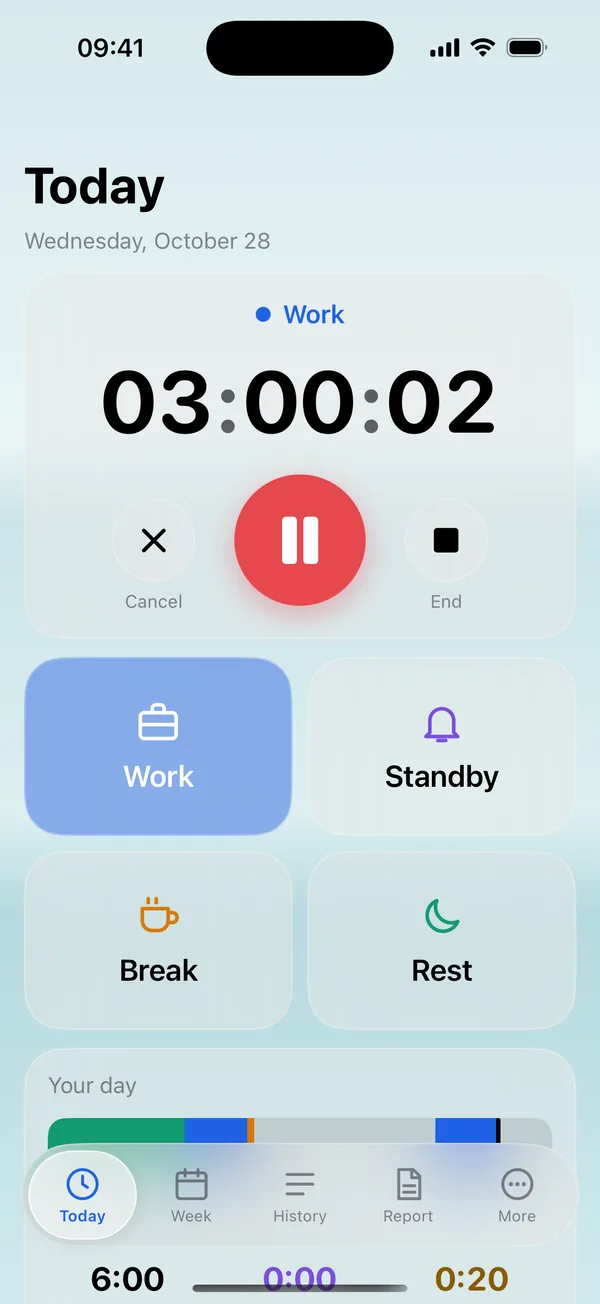
Work, Standby, Break or Rest. One big timer, easy with one hand, also at night. Pause, cancel or end, and undo with one tap.

Tap what you are doing
2

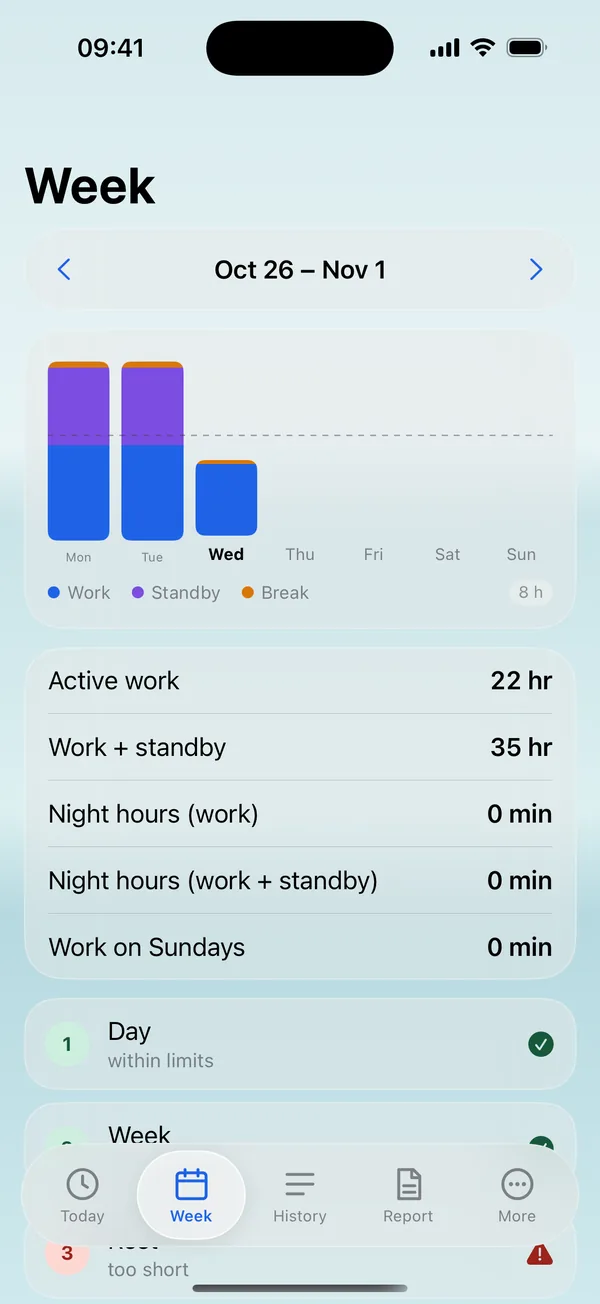
See your day and week

Active work, work with standby, night hours and Sundays. A warning appears when you get close to a limit you set yourself.

See your day and week
3

Send a report

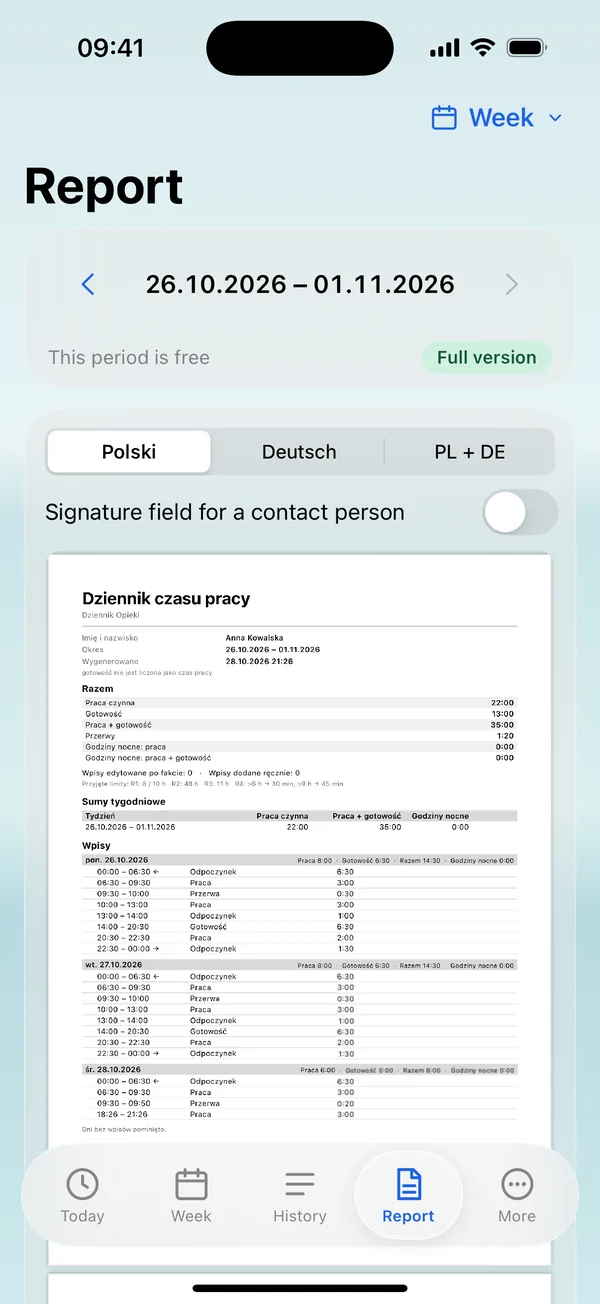
A PDF in Polish, German or both, with a signature line and a control code. Or a CSV file. Pick a week, a month or your own range.

Send a report

Everything for keeping honest hours

Large timer

Work, Standby, Break and Rest in one tap. Pause, cancel or end, with an undo after every end.

Day and week

Active work, work plus standby, night hours and Sundays, with a bar showing your 24 hours.

Your own limits

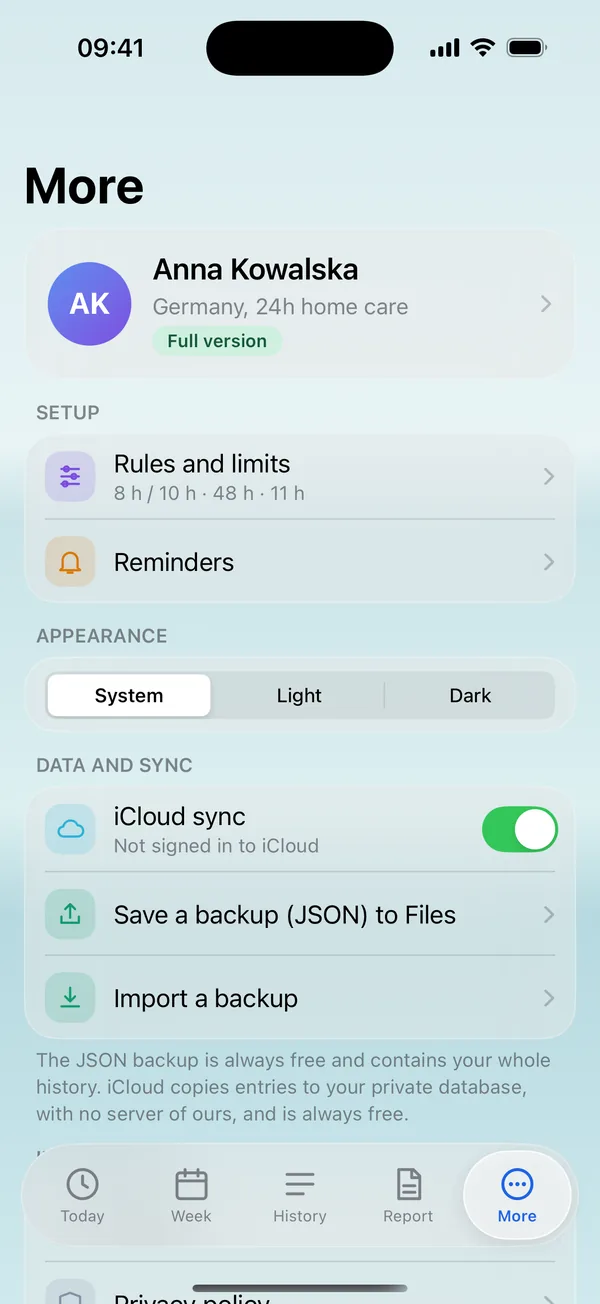
Day, week, rest and breaks. You set the numbers, the app only warns. It never decides what is lawful.

History you can edit

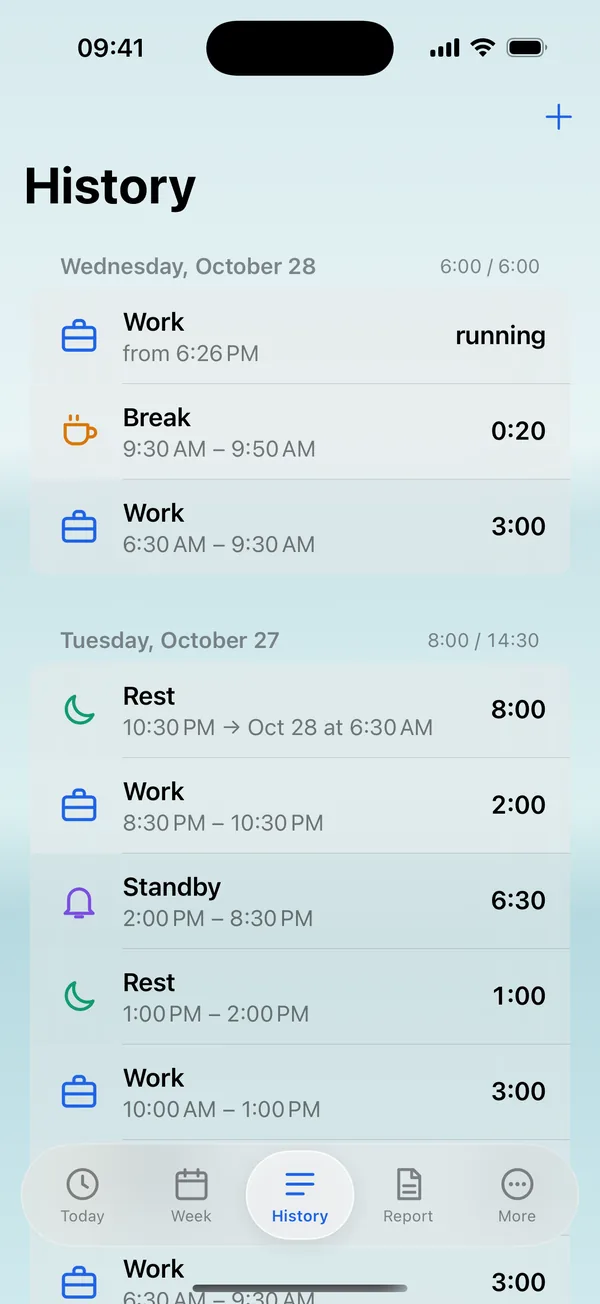
Fix a time, add an entry by hand. Edits made after the fact are marked, so the log stays honest.

PDF report

Polish, German or both, with a signature line for a contact person and a control code.

CSV export

The same data as a spreadsheet, for your own records or for your accountant.

Backup and iCloud

A JSON copy of everything, and sync between your devices in your private iCloud. Always free.

Private

No account, no ads, no analytics and no server of ours. Your data stays with you.
See the app

Free to use every day

Save and view without limits. Pay once only if you need reports for your whole history.

Free

  • Unlimited saving and viewing
  • PDF and CSV for the last 7 days
  • JSON backup
  • iCloud sync
One-time

Full version

  • Everything in Free
  • PDF and CSV for the whole history
  • One payment, no subscription
  • Supports the app’s development

Your data is never held hostage: you can always view it and back it up for free.

Questions

Do I need an account?

No. There are no accounts, no ads and no analytics.

Where is my data?

On your device. If you turn on iCloud sync, also in your private iCloud. We have no server and no access to your data.

Can I change the limits?

Yes. Day, week, rest and breaks are editable in Settings. The app only compares your entries with the numbers you set.

Can I move to a new phone?

Yes. Send a JSON copy and load it on the new device, or turn on iCloud sync. Both are free.

Keep your hours in your own hands

Free to start. No account.

Download on the App Store